Point/L,Start/Mid/End
Point on Line Position
Creates a point at the exact midpoint of a line.
What It Does
The Point/L,Start/Mid/End operator creates a point at the exact geometric midpoint of a line. The midpoint coordinates are computed analytically from the line start and end points.
Syntax
Point/L, Start/Mid/End
Quick Input
L: 0
Pos: Start Mid End
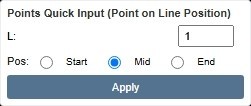
Quick Input panel — XyzPilot interface
Direction Selector
No direction selector is required. The result is uniquely determined by the input geometry.
Worked Examples
Setup:
L0 = Line from (10, 20) to (70, 60)
Point/L0, Mid, 0
→ P0 = (40, 40) [(10+70)/2, (20+60)/2]
Setup:
L1 = Line from (0, 0) to (100, 0)
Point/L1, Mid, 0
→ P1 = (50, 0) [midpoint of horizontal line]
Analytic Rule
Midpoint formula:
x_mid = (x1 + x2) / 2
y_mid = (y1 + y2) / 2
where (x1,y1) and (x2,y2) are the line endpoints.
Result: Choose Start, Mid, or End position on the line.
FAQ
Can I use the midpoint as a construction reference?
Yes. The midpoint is a standard construction-tier point. Use it as input to any subsequent operator — for example, creating a perpendicular bisector through the midpoint.
How do I create a perpendicular bisector?
Create the midpoint with Point/L,Start/Mid/End (Pos: Mid), then use Line/P,Perpto,L through that midpoint.